Showing posts with label Social Media. Show all posts

Sunday, 30 July 2017

How To Unblock Your Temporary Blocked Facebook Account With Details And Guidence By HTDIP


For you worried, Because your Facebook Account is Locked and You don't know how can you unlock it. So don't worry friends i am gonna show you how can you unlock Facebook account and solved it's Problems. we know that Facebook is a Strong and response Media for Advertising , Friendship, Business, Discussion ,Share Thought and Feelings.
Facebook launched a program of detecting Accounts and add these account in spam list ,

  • Blocked Facebook Accounts
  • Temporary Blocked Facebook Accounts
  • Identity Required
and some others. It's benefit is your Facebook Account is More Secured But many chances to locked it . But If you are using Your Facebook Account with Right information and Right Details Like Profile Name and DOB  You can easily unlock it.


Reasons of Blocked Facebook Account:

Hardly i am collect and search these reasons " Why Facebook Account is Blocked".

  • Minor Chances Facebook Make improvement in here database at this time you are not able to access your Facebook Account . But it Does not take more than 1 Hour.
  • Maybe When someone Report your Facebook Account is Fake , Copy Account , You not Follow Facebook Policies etc. But Remember When A single person complain About your Account then Facebook Ignore it but when huge account complain against your Account then Facebook Blocked Your Account And add it's Spam List.
  • Facebook Gives you Warning , But when still you doing same mistake Facebook blocked Your Account.
  • When you Try to Advertising Wrong Contact Like Dating, Harassment Cases, ...etc then your Facebook Account is Blocked Some time Permanently and some time Temporary.
  • If Facebook Detect Suspicious Activity then your account is also Blocked .
  • And in Last You are Creating Fake Account with Wrong information then your account is blocked if Facebook is detect it.


How To recover Your Facebook Account when it's Temporary Blocked ?

Now i can share with you some Tips If you follow it maybe you can able you activate your Facebook account Again.

  • Unfortunately,  your account is blocked then you cannot open your account first 96 Hours and Erase Cache and History Many chances it's working Normal.
  • Some time you need to Verify Your Mobile number Facebook send a code in your mobile and you put it Your Account is start working again.
  • Many time Facebook Gives you a Photo Verification option  You can verify 5 Times Your Friend Photos and choose his names . And you have 7 Chances with 2 times skip option if you know about your friends you can easily unlock your Facebook Account.
  • Sometimes Facebook Blocked Your Account By Mistake . Don't Worry You can submit an application with details and submit identity with your National Id Card, Also Option available for other Cards, bill , ...etc once Facebook review it If everything will be ok Facebook Unblock your Account immediately.

IN OTHER REASONS YOU ARE NOT ABLE TO RECOVER YOUR FACEBOOK ACCOUNT . WE STRONGLY RECOMMENDED ALWAYS FOLLOW FACEBOOK POLICIES .




Thursday, 27 July 2017

How Can You Send Message in Facebook Without Facebook Messenger.


Hi, Today i am gonna show you how can you send Messages in Facebook App without Using Facebook Lite and Facebook Messenger. Now You are thinking how to do is possible. First i tell you about it's Benefits and Features.
it is possible only when you are using Smart Phone With Android Operation System . 
Do You know your More than 50% Battery is used Facebook App And Messenger App. Because these apps is so heavy.
So now you can understand why you need it. 


First Step Delete Facebook App and Messenger App in your Smart Phone. and then click this link and download Facebook App in your File Manager.
https://facebook.en.uptodown.com/android/download
Facebook without messenger app here

                        Click Here For Downloading Facebook without Messenger App.

After download install it and Enjoy 2 in 1 Facebook App which can Deduce your Mobile Storage and Provide you Same Features. You can Save At-least 30% battery in your cell phone .

Don't Forgot to Share it with your Facebook Friend and Others. Thanks for your Time Enjoy it.


Tuesday, 11 July 2017

10 Reasons Makes Instagram More Popular than Facebook and Twitter - how to do is possible

  
Instagram makes popular is very short period of time , Now Millions of people are using Instagram and enjoy its better look and awesome style and it's features. But personally i feel if you are a special personality in your area and want it more peoples are attached with you life&style and more things like communication ...etc so Instagram is much better for you after a short time. Now you are thinking why i am asking you short time because in starting you have no followers so after a small period when you reached followers you can enjoy it with sharing your pictures, your thoughts, and more things like that.

Today i am share with you Top 10 Reasons "That Makes Instagram is Awesome than Facebook And Twitter".

Fast Working Simple App with new interface:  

                                                                             Facebook launched a really awesome app with fast working engaged with more celebrity that's why more people are attracted him . Most of the Facebook users are migrate Facebook to Instagram because they are bored to using Facebook and want something new. 

Instagram is best for your Business:

                                                                 If you are working online Business then Instagram is best for you to advertising with very cheap price and Provide Right thing , Right time , Right Person .In a world where visual content remains a crucial part of any business' marketing strategy, Instagram marketing presents a unique opportunity to visually represent your brand, keep it top-of-mind, celebrate its personality for all those users of Instagram who scroll through their Instagram feeds every single day.


Using Multiple Account without Signup:


                                                       Yes it is true, you can use multiple account without again and again putting Passwords and logout issue. But here is a Policy you can use multiple account but at same time you can signup only 5 Accounts no more.

No Limit of Followers:


                      Yes it is true, In Instagram you can create unlimited followers but it depends in your Profile if you compare this feature in Facebook Profile you can only add 5K Friends in your Facebook Profile .

Best Way of Advertising:


                      Once you can gain your followers, you can easily advertising without any investment . And you can Reached at least High rate traffic because Instagram Mostly uses in UK,USA,and Canada.

Fast Working:


                Instagram Working is very fast compare than Facebook and Twitter apps. After when you are using Facebook long time your Facebook app is slow working and your Smart Mobile Faced Cache , Spams ...etc . But Now Instagram Solved this Problem for its Fast Working and Simple App with cover  low Storage.

Verify Real Profile With Smart Feature:


                                    It is my one of the most favorite feature that you cannot save Instagram pictures in your mobile phone storage . Now i am sure you are thinking why this feature is helpful for verification . 
Answer: you cannot save any picture it means users upload it and all the profile is unique and real so it's show the profile is real and using real person.

Powerful Features of Editing pictures:


                                 When you upload any pic in Instagram it provides you many facilities of editing and some boomer apps . i am sure you can enjoy it before uploading .

Multiple Posts At same Time :


                                 I Think it is Best Feature , Your Instagram Profile is Add your Facebook Profile/Facebook Page , Twitter and Tumblr it means when you upload any picture in Instagram it will asked you to share this picture in Facebook,Twitter and Tumbler if you want to share these sites select it then your Post automatically uploaded in these sites. 


Share this information with you friends if they cannot login and join Instagram i am sure after reading this post they most be join and use it . Thanks for your time 


Tuesday, 27 June 2017

How To Written Bold , Italic Or Strikeout Text in WhatsApp Tips and Tricks - how to do is possible


Whatsapp Tips and Tricks:

                        Normally whatsapp have many tips and tricks and multiple Hidden Features . But now we can talk about Hidden Secrets of whatsapp because you can use it in your simple chat . Whatsapp Launched this feature for both ANDROID and IOS Systems. 

How can type Italic in Whatsapp during chat ....?

Add Underscore ( _ ) Before and after your targeted word for Example:  _hello_ 
See in Video :


How Can Type Bold in whatsapp During Chat...?

For written Bold and hightlight any word in Whatsapp you just need to add Asterisk ( * ) Before and Ending your targeted world.
For More details watch this Video:


How can write Strike Through Font in Whatsapp During Chat...?

For written Strike Throug font in your Whatsapp conversation you just need simply add (~) Before and Ending any word. lets seen video for more details:


Wednesday, 21 June 2017

Top 10 YouTube Secrets You Need To See - HTDIP


Welcome Here, I Collect many YouTube best secrets, Some Like Magic Tricks , and my best is say :
"How Can YouTube Dance"✌   I am not kidding You Try it your self and i also share with you Top 10 YouTube Music Channels Details and more things about it include Control Watch YouTube Videos Time , YouTube video downloading without any kind of software's and more some other interesting features. In ending i tell you " How can your increase the number of Free YouTube Subscribers. Don't Forgot to join our newsletter for Received Interesting Social Media Information in your Inbox.

1: See YouTube Dance By Using "Do The Harlem Shake".
   
If you are written in YouTube " do the harlem shake " then you can see you tube icon and its searching videos results is dancing.


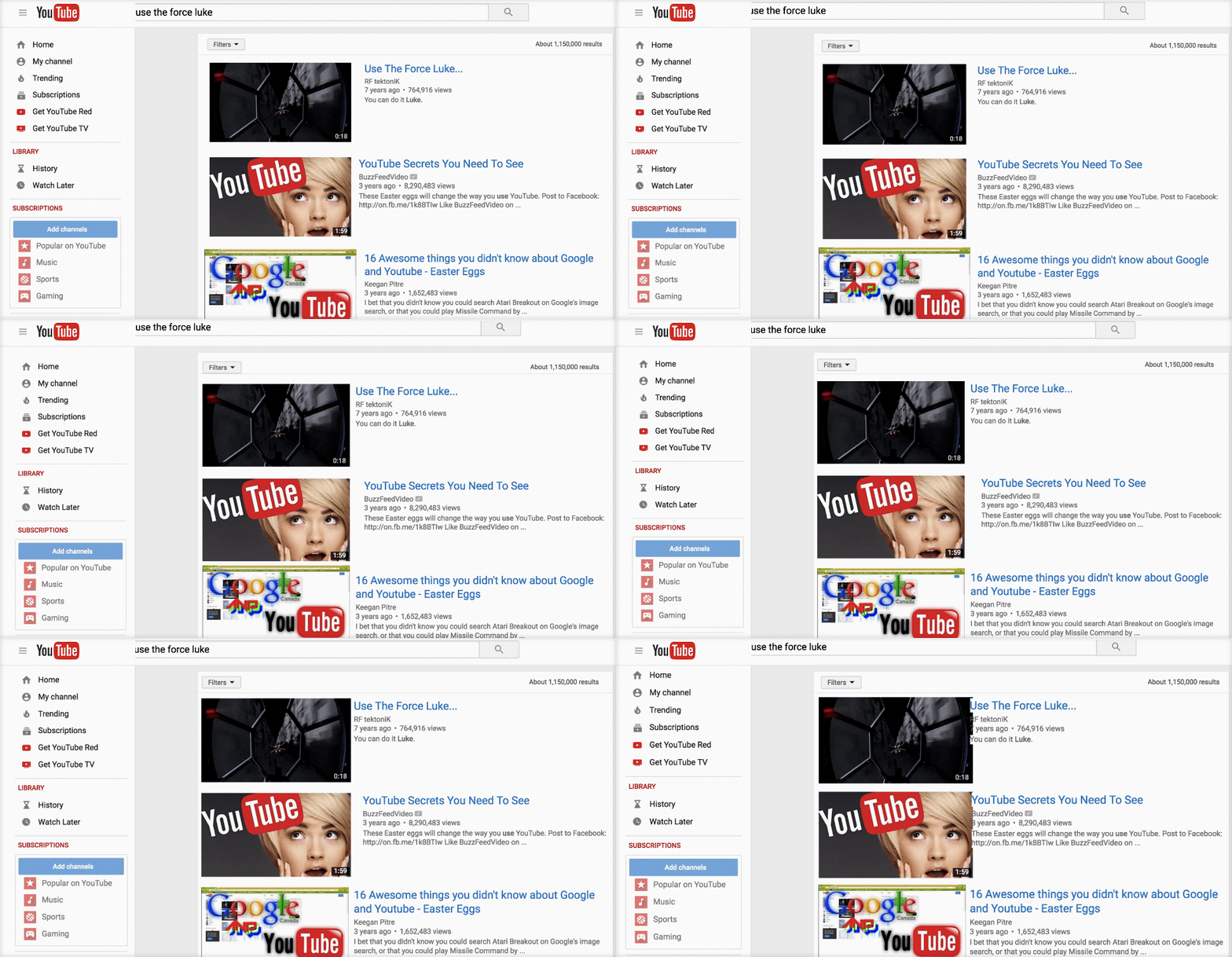
2: "Use the force luke" How Can Move your Screen According to the Mouse

When you written this line in your YouTube search option bar you can seen your screen like that , Means in screen items moves towards your cursor. Same Like That


3: You Can Change YouTube Font Color And Style Using Doge meme .

When you can written this line (doge meme) in YouTube Search you can seen Font is changed in different colors . Actually you can enjoy this changed when you seen it first time . See Example


4: How Can YouTube tell You in Advance About its Launching Features (YouTube TestTube).

Do You know YouTube Provide you knowledge about its working in Advance. Some peoples are not know about it. YouTube tell you which feature they can add in future and which error they want to removes and more things like that.

You can Write in Search Line:


                       www.youtube.com/testtube


5: YouTube Loop video (Play Video Again And Again)

In the world according to my calculation At-least 70% plus people Loves Music specially many Online Users. So they use YouTube as a Platform of listening. 
i am sure you Must visit these world Famous Music Channels.
For Example:

when you listening any kind of songs during play you right-click the screen and press/ON Loop. After you can seen when your playing video is finished then they can automatically start again without clicking.

6: Download YouTube Videos Online without Internet Downloader Manager.


This is My one of the most favorite method . you can download your any kind of YouTube video by just minor changing in URL. Because i hate so much IDM (Internet Downloader Manager). First its stupid installation and second his updates and some time they cannot working in Facebook. Follow few Steps and happily avoid this kind of software's.
For Example: when you play your video then its URL is 


   www.youtube.com/yourplayingvideo

Changing:    

    www.ssyoutube.com/yourplayingvideo

After this minor change a new page is open here have a option available to download this video with your selected Quality like 240p,360p,480p,720p and if video is supported 1080p. Choose your favorite option and select download and then you can seen in down corner in your browser downloading is start . After happily seen this video and share with your friends in your social media.


7: Change YouTube in TV Latest Style By Using Leanback.

YouTube Provide You Feature to change PC and Mobile Users its View like TV. You just need to put /leanback at the end of your YouTube URL.
For Example :
        

                   www.youtube.com/leanback


It's useful also when you have no mouse and your touchpad of laptop is not working so you can use it Search,Select,Play,Stop,Changing in Keyboard. Hope You Enjoy it and Try it for selecting this available link.


8: Change YouTube Videos into animation Style .

During Using YouTube you like some videos and think about it " i hope this video is available in animation and you can seen it with more enjoyment " 
Now this problem is solved i am sure you are shocked to seen it but it is true and now obviously you thinking howtodoispossible.
Very Simple which video you like to seen in Picture Form Like Gif and animation and want to seen its . you again need some minor changes in URL .
For Example: 

         www.youtube.com/yourplayingvideoaddress

Changing


         www.gifyoutube.comyourplayingvideoaddress

9: Give Instruction About Starting Time.

i am sure you are thinking now how can you give instruction and why Video Follow it. ☺☺☺ off course YouTube can follow it because it's developer already tell about is meaning during coding . You just need to changing again at the ending of URL.Example is very because they more guide you about it working in details. so Let's see example.

www.youtube.com/playingvideo

Changing

www.youtube.com/playingvideo#t=3m

If you want to start video in second then use #t=minutesseconds => #t4m7s same you can use it in hours if video is long and supported.


10: Increasing Subscribers Formula:

Don't Be shocked it is real you know the subscribers increasing reason is just smart work,Cover Minor details, Timing, and No#1 is Content Must be Good Quality . For Example some time you put your link for visit then if someone click your link and see a subscribe option when new screen is disappear so in this time many chances that your visitor is subscribe you if they have good knowledge of YouTube working and it's accounts.

let's See its working:

My YouTube Channel Name:  Hmanch

Normal URL 

https://www.youtube.com/channel/UCGED_ZRaBUmh0m1oWQHEWAw

Changing 

https://www.youtube.com/channel/UCGED_ZRaBUmh0m1oWQHEWAw?sub_confirmation=1


This Link is very Better Than Normal Channel Link. 

Message For the viewers: 
            After research about it i am share with you this information in past many other secrets available but they cannot working at this time . If you know about more secrets in YouTube
You can Share with me in Contact us Menu option and share in Comments. if you think this information is good for other YouTube Users . So Please Share in Social Media With Your friends.
Thanks For Your Time , Have a Nice Day.


Saturday, 17 June 2017

Do You Know Why Whatsapp is So Popular In Messaging - HTDIP


Dear Viewers, I am using whatsapp at-least last 4 years and now i have an idea about whatsapp why this social media app is so popular and mostly people can recommended it for business . According to My Experience these is many reason , But i am share with you a Hidden Feature Mostly People Can attract Him.
When you are open a new conversation you must seen this message:
                           
                                      Messages you send to this chat and calls are now secured with end-to-end encryption . Tap For More Info  .

I am sure you say "Yes" , In simple wording it's means is your sending messages are very secure and if someone received (Hacked) your file then it is unable to seen your whatsapp conversation untill a key file (Key file are available in mobile storage whatsapp folder). Thats Why People are use it for Business and daily activities . 

i am sure you are excited know about it's growing and popularity . i can show you a survey picture about its growing in 2016 . 


  • 1 Billion Monthly Users.
  • 42 Billion Messages Sent Per Day.
  • 1.6 Billion Photos shared Per Day.
  • 1 Billion Groups .
  • Supported 53 Languages.
  • 250 Million Videos Shared Per Day.
  • 57 Engineers we Are Hiring.

But 1 thing is still remember at this time when these results capture Whats-app cannot launched Audio and Video Calling. 


Benefits why whatsapp is popular in other apps :-

Whatsapp Killed SMS:

 After some Research about it, i read some secrets . Remember whats app was launched in 2009. At this time peoples are faced problem of sending SMS with standard price and this time no apps available like Viber, Line ....etc . So whatsapp solved the problem of the users for free texting and login in mobile number.

No ADS :

Whatsapp Owners know the Advertising ADS irritate users , and damage its popularity and ranking. So it is ads free and it is one of the most popular reason of Billion Users.


You can see its simple and easy use that's why people can attract him. If we can Compare than Any Other site.


In Whatsapp You Are Your Number:

Whatsapp launched new Function to find anyone in his directory by using in mobile number , means to say if you have your friend mobile number then you don't need to find his username you just search his mobile number and add him . Same this option are launched Skype after Whats-app.

Free of Cost:

When it is launched it has 1 year free trial means to say if you are regular customer and using 1 year then you just pay $1 for the using next year.
But After looking his popularity the company can decide free of cost use. So Now we can use it without any cost ( Life Time free ).

My Opinion :

Now it's look more cool and awesome because they launched new feature of audio and video calling. I don't know in global village i am saying in my area ( Country ) many telecommunication companies provide you internet facility of using only this app with very cheap prices . 

I hope it is helpful for you you can received our notification by using our newsletter , we can understand your privacy. You can also join in Facebook Don't forgot to like it.

Regards


Monday, 22 May 2017

How To Download Facebook Video Without Changing URL (With Help of Some Sites). Latest Method!

How Can Download Video in Facebook Without Changing URL.


There are many Methods are available here for downloading videos in Facebook.
In Previous Article we can discuss about Downloading Video by changing URL If you interested and see this Method Click Here.

Now we can start There is some sites available that are working same like IDM (Internet Downloader Manager). 

There are the Websites list you just need to paste your Video URL here and Then Download It.
  1. www.fbdown.net/
  2. www.downvids.net/
  3. https://www.video-fb.com/
  4. getfbstuff.com/
  5. https://www.videograbber.net/free-facebook-video-downloader

How you can do this it is very simple method and very useful only when you have no idm otherwise idm is best for its use.

Method:

  • Play your recommended video and Right-Click.
  • After Copy Show Video URL paste any available Site Given.
  • After Click Download and Download Video.


If you have need any kind of information need any help contact me in upper tab.
Share with your Friends.
Regards.


Thursday, 18 May 2017

How To Download Video in Facebook Without IDM in Smart Mobiles and your PC.

How To Download Video Without IDM (Internet Downloaded Manager) In your Smart Phone (Android) And your Personal Computers .


Some Peoples are using some different software's for downloading Facebook Videos in your Mobile Phone and in your computer Hard Drive. But Most of the peoples are don't know about it.
        You can download Video in your Facebook Account without any software's and other helpful method.
             So Friend's in this Post, i am gonna show you "How can you Download Facebook Video Without any Software's" This Method is helpful for you when you have not any kind of software install and you need to download it because in this situation if you are going to install downloaded software then after video is forgotten and some times video cannot found .
We Can start now :
In First step you need to your recommended video, i have few Easy Methods.

 You need some changes in URL.


First open your required video and Right click then click show URL and Copy it same like in this Picture.


This is Video URL:

Before:

https://www.facebook.com/findmeafunnyvideo/videos/1720343357990633/

After:

https://m.facebook.com/findmeafunnyvideo/videos/1720343357990633/

After when you search this URL ,

During Playing video when you Right-Click in the video here is "Save as" option show Same like this Picture.


After Save as you can easily save Video in your Computer Hard drive.

In Next Post i am showing you " How you Can download Your Facebook Video Without Changing URL "

So for keep in touch join your emails news letter. Don't Forgot to share with your friends,
Regards.

Wednesday, 17 May 2017

How To Protect your Facebook Account With Two-Step Verification.

How To Protect Your Facebook Account From Unauthorized Person.


Facebook Two-Step Verification 

Here is very important question."Why we need to protect your account with 2 Step Verification"

It is very simple At least in last 2 years the average percentage of cyber crime (Hacking) is increase and there and many method to hack any one Facebook account with link clicking and more .....
So in this case The Best Solution is to sure your Facebook Account is Secure and Save From Hackers and Unauthorized Persons , To Enable Two-Step Verification .

In Second Step some beginner asked me about. " After Enable it , How i am sure, i can save from Hackers Attack "

Again Answer is very simple Suppose that your account details like your login Email and your password is hacked, and hacker want to try login and change your details so he cannot login without verification PIN code . This Verification Code Receive your personal mobile number . So in this situation you can immediately login and change your password.

NOTE:

             Always using different passwords ( Means your Facebook password and your mail box password always different ) and avoid to be using same password.


"How To Enable/Start Two-Step Verification".

  • Login Your Facebook Account.
  • Go To Setting.
  • In Left side Click Mobile Option.
  • Add your Mobile Number.
  • Put Received PIN Code. 
  • And then Verified.
Select Mobile Tab

And Then just Put Your Mobile Number After Receive Verification Code Verify it.